
How to Fix the Service Area Overlap That’s Confusing Google’s Local Algorithm
You’ve done everything by the book. Your Google Business Profile (GBP) is verified, you’ve uploaded high-quality photos, you’re generating consistent five-star reviews, and your citations are as clean as a whistle. Yet, when you search for your services in a neighboring town – a town you specifically service – your business is nowhere to be found. Instead, you see a competitor with half your reviews sitting comfortably in the top three.
This is the “Invisible Listing” nightmare. It’s a frustrating reality for many service-area businesses (SABs) and multi-location companies. You aren’t necessarily doing anything “wrong” in terms of traditional SEO, but you’ve likely fallen victim to the Google Local Filter. This algorithmic filter is designed to keep the Map Pack diverse, but it often interprets overlapping service areas as a signal to hide one of your listings in favor of a “unique” competitor. As a Local SEO expert, I see this daily: businesses cannibalizing their own rankings because their service areas are tripping over each other.
To win at google business profile seo, you have to understand that Google isn’t just looking at how good you are; it’s looking at how distinct your service boundaries are compared to your other locations or your competitors. If Google perceives a “tie” in proximity and service area, it will trigger a filter that effectively erases you from the map.
What is Service Area Overlap and Why Does it Kill Rankings?
Service area overlap occurs when a business has multiple locations (or a single location and a competitor) that claim the exact same geographic regions – towns, zip codes, or counties – within their Google Business Profile settings. When the algorithm sees two or more profiles vying for the same “territory” with similar categories, it triggers a tie-breaker logic.
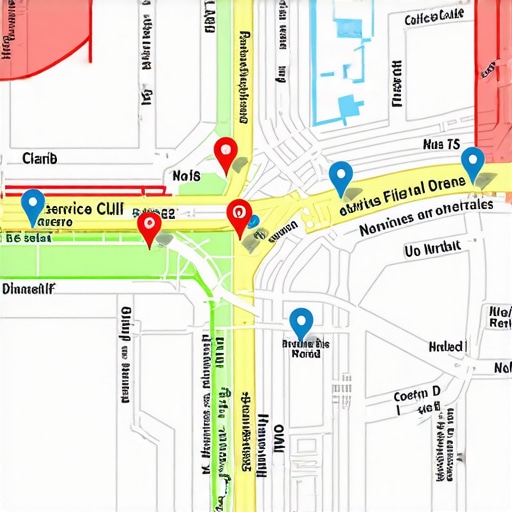
Think of it as a digital turf war. If Location A and Location B both list “Louisville, KY” and “St. Matthews, KY” as their service areas, Google’s algorithm gets confused. It asks: Which of these is the most relevant for a user in St. Matthews? Because Google prioritizes user experience and variety, it rarely shows two listings from the same brand in the same Map Pack. Instead, it “filters” one out. This is why fixing the invisible listing problem for service area businesses in Kentucky often starts with a map and a red pen, not just more keywords.
Data from the Local Search Forum highlights a classic case study involving Atlanta and its surrounding suburbs. Businesses that claimed the entire metro area across multiple profiles found themselves filtered out of the suburbs where they actually had physical proximity. The algorithm saw the overlapping zip codes and decided that showing one result from the brand was enough. This “filtering” effect is the silent killer of local map pack seo.
The Algorithm’s Logic: Why Google Filters You (The Possum Update)
To understand why this happens, we have to look back at the Possum Update. Launched in 2016, Possum was one of the most significant changes to Google’s local algorithm. Its primary goal was to diversify local results and prevent a single company from dominating the Map Pack just because they had multiple offices in close proximity.
The Possum update introduced a sophisticated filtering mechanism. If two businesses operate from the same building, or if they have very similar names and overlapping service areas, Google will often hide one. It’s not a penalty; it’s a filter. Google wants to provide “variety.” If you have two locations five miles apart and both are optimized for google business profile ranking in the same zip codes, Google will likely only show the one it deems “most authoritative” or “closest” to the searcher’s physical intent.
To see if this is happening to you, you need a professional google business profile audit tool. Tools like SEO Viper can help you visualize where your rankings drop off and whether a competitor – or your own secondary location – is causing you to be filtered out. When you see your ranking go from #2 to #50 just by moving the search cursor one block over, you are likely dealing with a service area filter.
Debunking the “2-Hour Rule” Myth
There is a persistent myth in the SEO community that Google won’t rank a Service Area Business more than 2 hours away from its home base. This is often called the “2-hour driving radius rule.” However, extensive research from Sterling Sky has debunked this. Verification failures and ranking drops are rarely due to a literal timer on a stopwatch.
Instead, what looks like a “distance limit” is actually a “relevance and overlap limit.” Sterling Sky’s research indicates that businesses can and do rank further than 2 hours away, provided they aren’t competing with their own overlapping data points. The reason businesses fail to verify or rank at a distance is more often due to overlapping zip codes or shared contact information across multiple profiles. Google cares less about how fast you can drive and more about whether your digital footprint is unique and logically separated from your other business entities. To rank google business profile successfully at a distance, you must prove that the distant area is a distinct territory with its own unique signals.
Step-by-Step Fix for Overlapping Service Areas
If you suspect your listings are being filtered because of overlap, follow this technical recovery plan to reclaim your spot in the Map Pack.
1. Conduct a “Territory Audit”
Open your Google Business Profile dashboard for every location you own. List every city, county, and zip code you have selected. Use a spreadsheet to identify where these locations overlap. If Location A and Location B both have “40202” listed, you have a conflict. To improve your google business profile seo, you must eliminate these redundancies.
2. Assign Hard Boundaries
You must decide which location “owns” which territory. This can be painful for business owners who want to “be everywhere,” but in the eyes of the algorithm, being everywhere often means being nowhere. Remove shared zip codes. If Location A is in the north and Location B is in the south, draw a line. Assign specific towns to specific profiles. This clarity tells Google exactly which profile to serve to the user based on their location.
3. Clear the Physical Address for Pure SABs
According to Google Support’s best practices, if you do not see customers at your physical location (a pure Service Area Business), you should clear the physical address field entirely in the GBP dashboard. This prevents Google from using your “home base” as the sole anchor for your rankings and allows the “Service Area” settings to carry more weight. This is a critical step in google business profile optimization.
4. Align Your Website’s Service Area Pages
Google doesn’t just look at your GBP; it looks at your website for confirmation. If your GBP says you only service “Louisville,” but your website has a messy “Areas We Serve” page listing 50 different cities, you’re sending mixed signals. You need to create dedicated, unique landing pages for each location. For more on this, read about how messy service area pages are quietly sabotaging your Kentucky leads.
Advanced Optimization: Beyond the Map
Fixing the geography is only half the battle. To truly rank google business profile listings that are in close proximity, you need to provide Google with “Unique Identifiers.” Research from OllyOlly suggests that each business location should ideally have its own distinct business license or a unique “home base” registration. If Google sees two businesses with the same owner, same phone number, and same service area, it sees a duplicate.
- Unique Phone Numbers: Never use a single 1-800 number for multiple locations. Use local area codes unique to each territory.
- Location-Specific Landing Pages: Each GBP should link to a unique URL on your site (e.g., `/louisville` vs `/lexington`), not just the homepage.
- Local Business Licenses: Having a specific business license for different municipalities can serve as a “tie-breaker” if Google flags your listing as a duplicate.
Implementing these 7 Google Business Profile Tips for 2026 to Keep Your Kentucky Listing from Going Dark will ensure that as Google’s AI-driven algorithm becomes more sophisticated, your business remains visible and distinct.
The Role of Authority in Overcoming Filters
Sometimes, even with clean boundaries, a highly authoritative competitor can “bleed” into your territory. This is where gmb ranking service expertise comes into play. If your competitor has 500 reviews and a decade of history, Google might show them in “your” zip code even if they haven’t claimed it. To combat this, you must build “Local Entity Authority.”
This involves getting mentioned in local news, sponsoring local events, and ensuring your name, address, and phone number (NAP) are consistent across the entire web. When Google sees that you are the most “talked about” business in a specific town, it is more likely to bypass the filter and show your listing, even if there is slight overlap with a neighboring branch.
Using local seo tools to track these mentions and your local “share of voice” is essential for multi-location brands. You aren’t just competing on keywords; you’re competing on geographic relevance.
Conclusion: Clean Territory is the Key to Growth
The “Invisible Listing” problem is almost always a result of data confusion. When you give Google’s algorithm overlapping or conflicting information, it defaults to the safest option: filtering you out to avoid showing “duplicate” results. By auditing your service areas, assigning hard boundaries to each location, and aligning your website content with your GBP settings, you can break through the filter.
Success in service area business seo requires a surgical approach to geography. Don’t try to claim the whole state with a single profile. Instead, build a network of distinct, highly relevant profiles that each “own” their specific patch of ground. This “Clean Territory” strategy is the foundation of any high-performing google maps ranking service.
If you’re tired of your business vanishing from the map, it’s time for a professional audit. Learn more about Kentucky SEO Agency Secrets: Boost Your Local Business Visibility or reach out to me, Fahed Awan, to help you navigate the complexities of the Map Pack. Let’s stop the overlap and start the growth.